Describe it.
Get the whole design.
A sentence, a sketch or a photograph of an old drawing goes in. What comes out is a parametric assembly — every part, every fit, the calculations behind them, and drawings the shop can cut from.
Built for engineering teams · early access
A whole assembly. Not one shape.
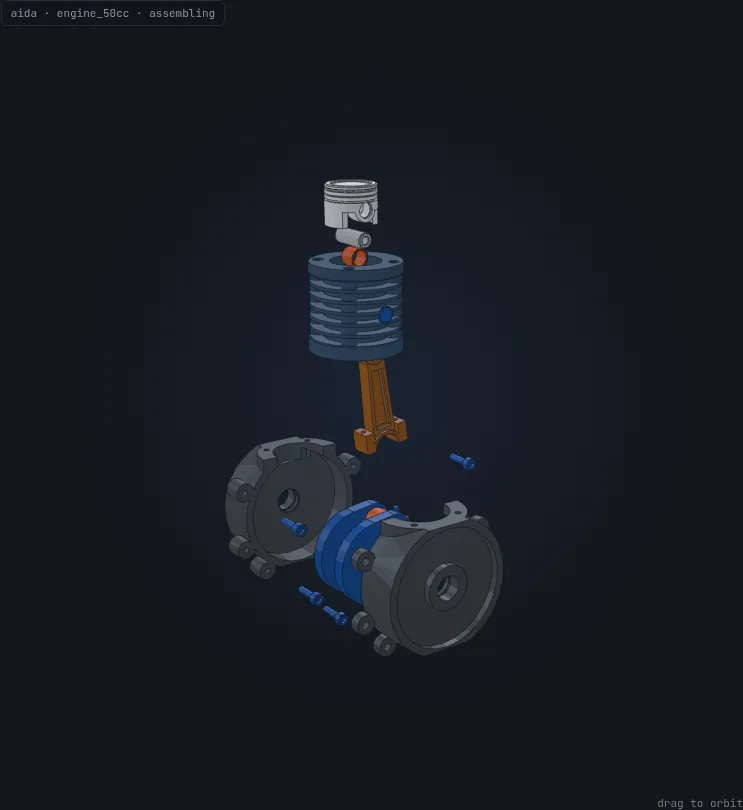
Twenty-one parts of a 50 cc engine — crank train, cases, bearings, fasteners — from one description. Scroll, and it goes together in the order a person would build it in.
- 21 bodies
- 138 parameters
- Every fit derived
Move a number. The engineering follows.
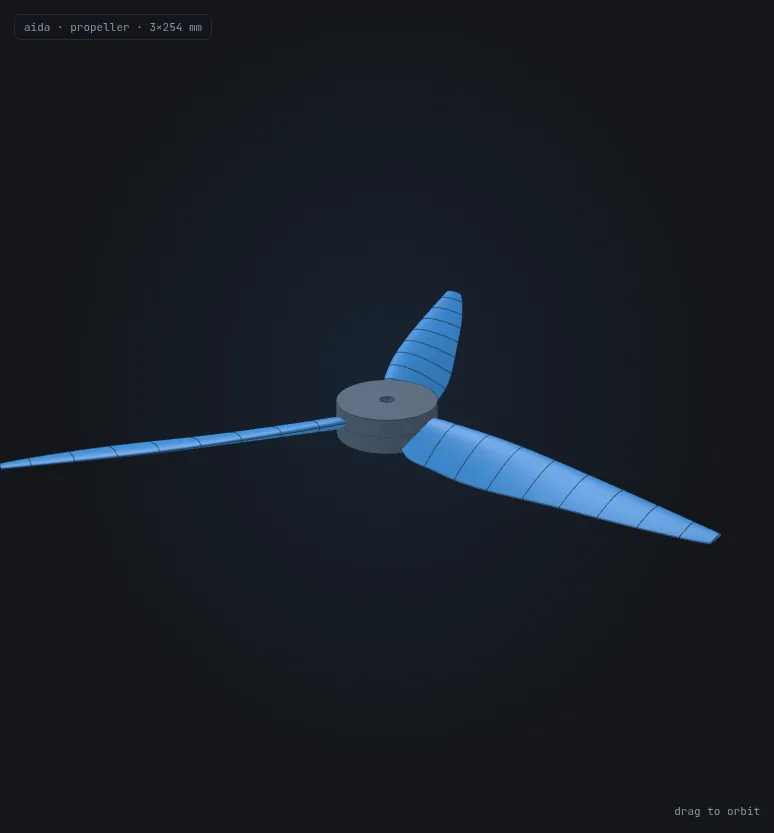
Every dimension is a named parameter, and the design is built from them rather than drawn once. Drag one and the blade is rebuilt — there is no library of shapes behind it.
And the numbers move with it. AIDA wrote the aerodynamic analysis alongside the geometry, so thrust, power and efficiency are computed for whatever you have just asked for — not looked up.
Blade-element momentum theory — AIDA’s own analysis, driven by the same distributions as the geometry. A prediction under stated assumptions, not a measurement.
 drag to orbit
A drawing from 2014. A part you can make today.
Read a drawing, build the solid, draw it back. Each of these is its own product — and run end to end they take a sheet somebody measured by hand twelve years ago to something the floor can cut from.
From a photograph of paper
A pencil drawing, measured by hand, photographed askew. Diameters, fits, keyways, thread depths — taken off the page.
What was asked
“Improve the attached technical drawing and create the 3D model”
A solid, not a picture
Eight diameters, two keyways, a circlip groove, tapped centres at both ends. Parametric, and exportable as STEP.
A sheet the shop accepts
ISO 2768-mK, first-angle projection, h6 and k6 fits, runout to a datum pair, Ra callouts, sections, a 5:1 detail and a filled title block.
Every custom part is a wait.
To get one bracket, one housing, one flange, you either learn a heavy CAD suite or queue behind someone who has. Geometry is where the idea stalls — a clear spec in your head, days of clicking between you and a model you can actually use.
So that’s where we started. Not a thinner CAD tool — a way to skip the modelling entirely and get straight to a part you can change.
From a sentence to a model you can change — in one pass.
Describe it
Type the part in plain language — in any language — or attach a sketch or photo. AIDA reads the geometry and pins down the spec, asking only when something is genuinely ambiguous.
Generate it
A battle-tested geometry engine builds a real, manufacturable solid — grounded against a growing library of proven reference designs, then checked by actually building it, not just guessing.
Drive it
Every key dimension becomes a typed control — a number, a toggle, or a value bounded to a safe range, with tolerances where they matter. Change the bore, the thickness, the hole count and the model rebuilds in seconds. Copy the parameters out or export STL/STEP — it is a part you own, not a dead file.
The fasteners and fittings you were going to go and find elsewhere.
Not a file library. Every part is generated to the dimensions of its standard, so any size exists — and it arrives as editable parametric geometry, not a frozen download.
- 1,516
- standard parts
- Screws, nuts, washers, bearings, pipes, ASME B16.5 flanges, DIN 6885 keys and ISO 3601 o-rings.
- 45
- named standards
- ISO, DIN, ASME and ASTM. Each part carries the designation it was built to.
- 0
- invented dimensions
- Every value comes from a published table. Where a standard does not define something, we say so instead of guessing.
Search by whatever you call it
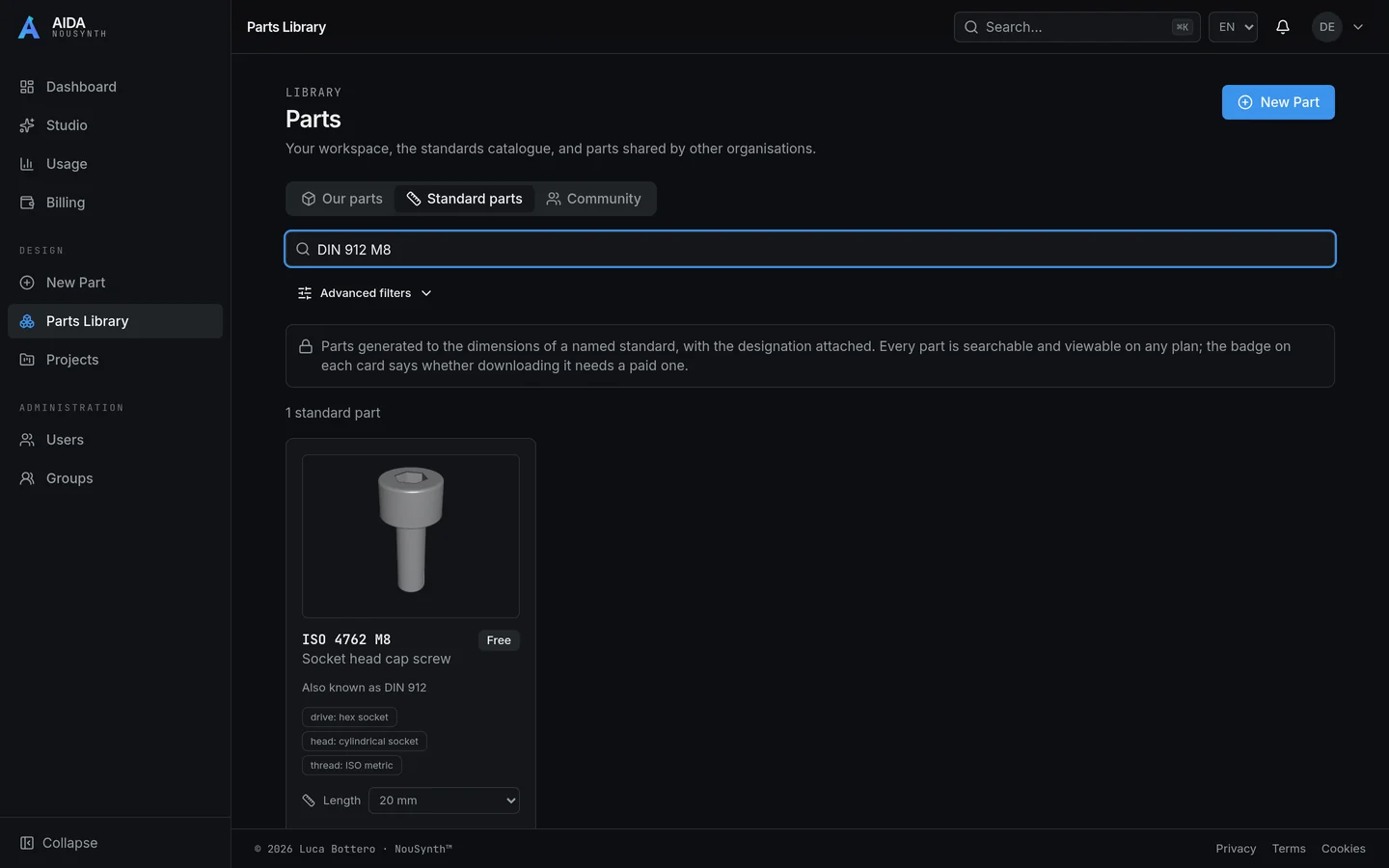
Type a designation, a shop name or a size — ISO 4762, DIN 912, “allen bolt”, M8 — and land on the same part. Exact designations pin to the top, because being shown a similar bolt is a wrong answer.
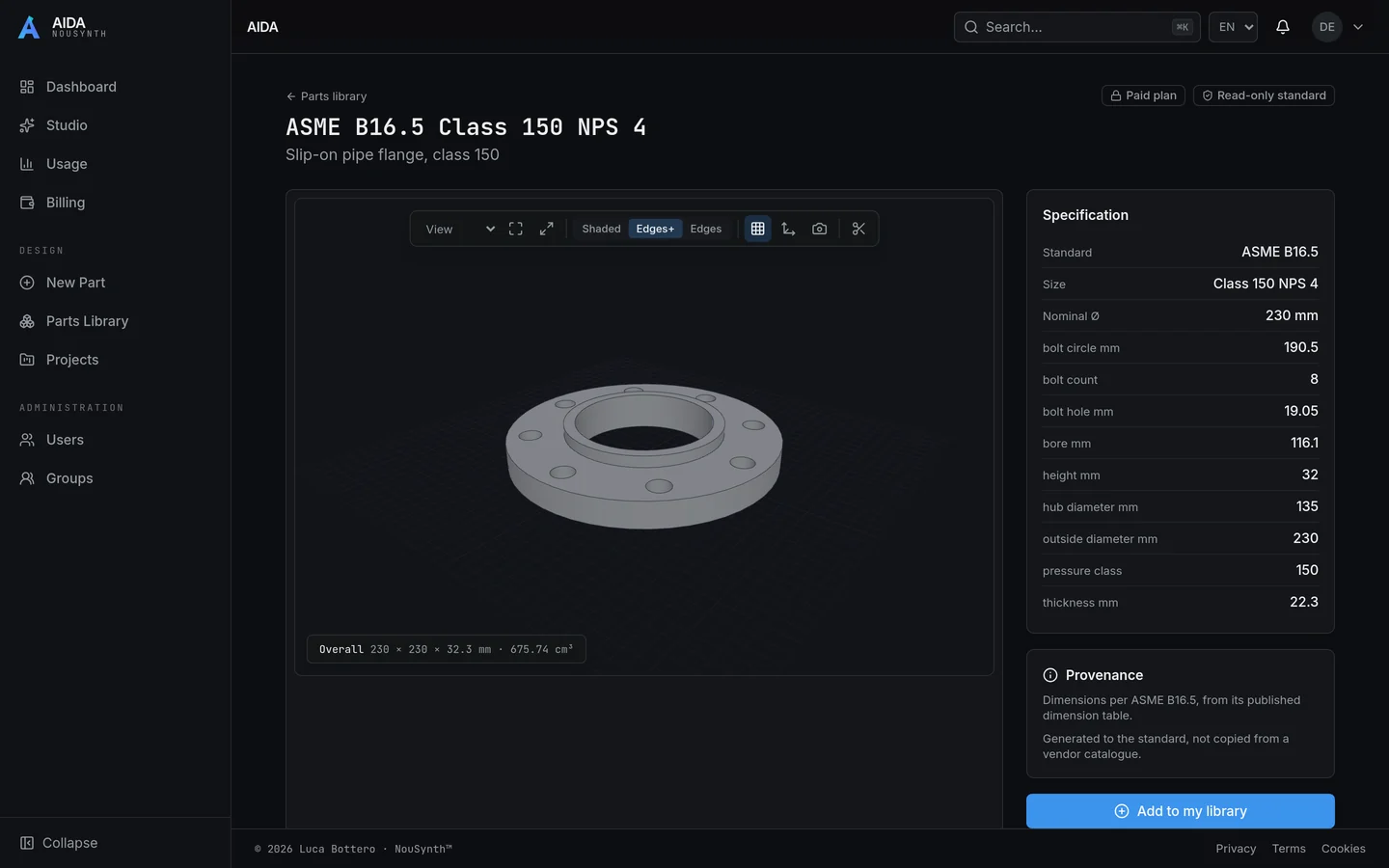
Every number on screen is the standard’s
Bore, bolt circle, hole count, thickness — read straight from the published table, and measured against it in our test suite. Where something is a simplification, the part says which.
A length the standard does not define is refused
There is no ISO 4762 M8×33, so we will not hand you one labelled that way. Pipe and key length is a cut, so that is yours to set — and stays out of the designation.
Drops into the part you are designing
Add one to your library and it behaves like any other part: editable, drawable, reusable in an assembly, exportable as STEP. The AI reaches for these too, so a generated assembly is bolted with real fasteners.
Not a chatbot bolted onto a mesh.
Parameters, not dead files
Most tools hand you a static mesh. AIDA extracts the design intent into structured, typed parameters — numbers, toggles, bounded ranges — so the result is a model you keep driving, not a one-shot export.
Grounded, and it compounds
Generation is anchored to a library of proven designs rather than prompt guesswork. That is why results hold up on real parts today — and why quality grows as the library does.
Versioned, and portable
Every part and every modification is tracked. Branch a design, tweak it conversationally, keep the history — and export it whenever you like, with no limits on what you do with the files.
A copilot that shows its work
The Studio reasons out loud, runs the numbers, and proposes designs behind approval gates — nothing commits to your library until you say so.
An engineer that shows its work.
The Studio is a workspace, not a prompt box. It does the calculations, looks up what it needs, weighs the trade-offs, and proposes designs — and it leaves a trail of every assumption and result behind it.
Nothing touches your library without your approval. You stay the engineer of record; AIDA does the legwork.
And it’s about to get dramatically more capable.
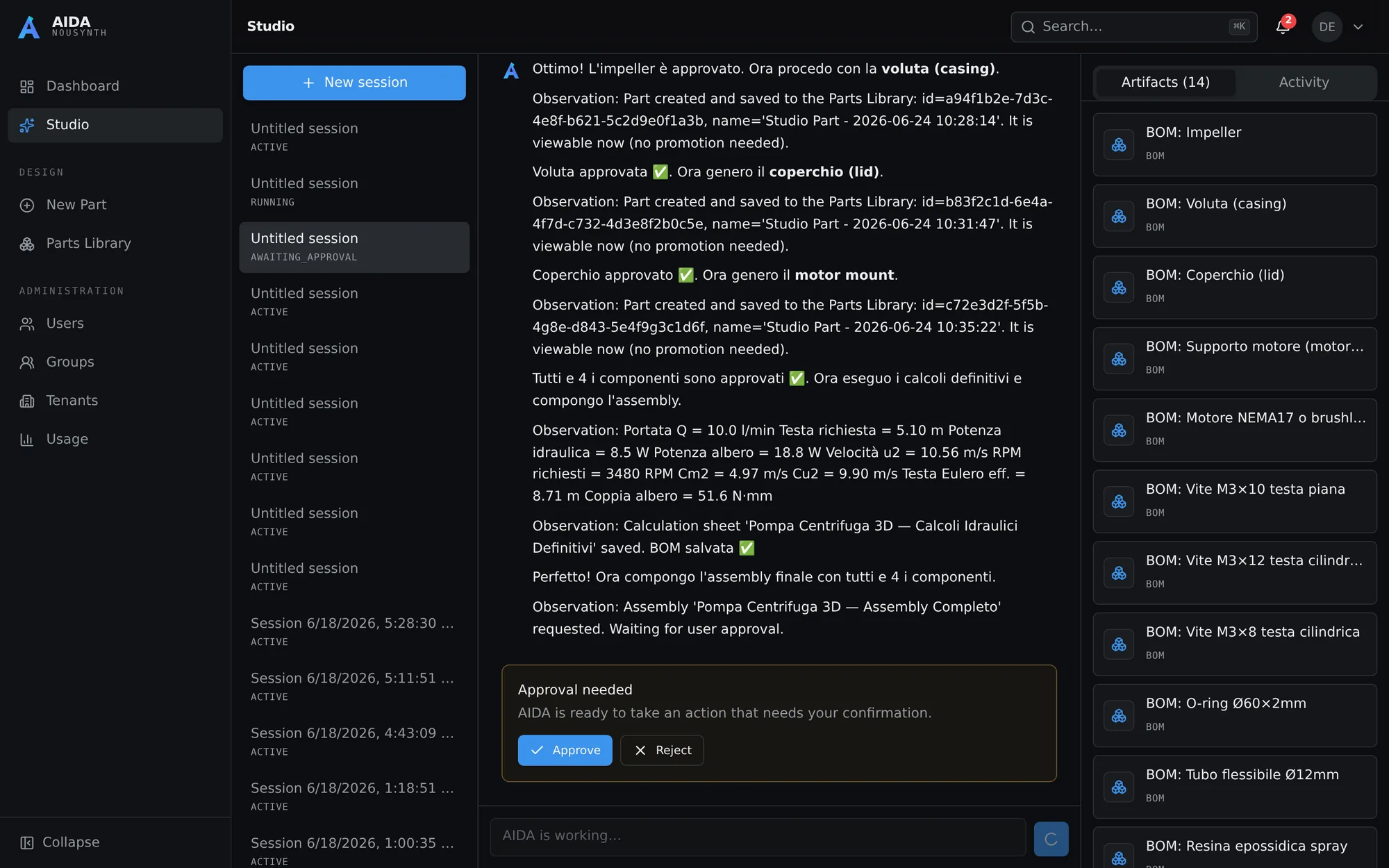
Sizing a centrifugal pump end-to-end — calculations, a live bill of materials, and an approval gate before anything commits.
A workspace your whole team can run on.
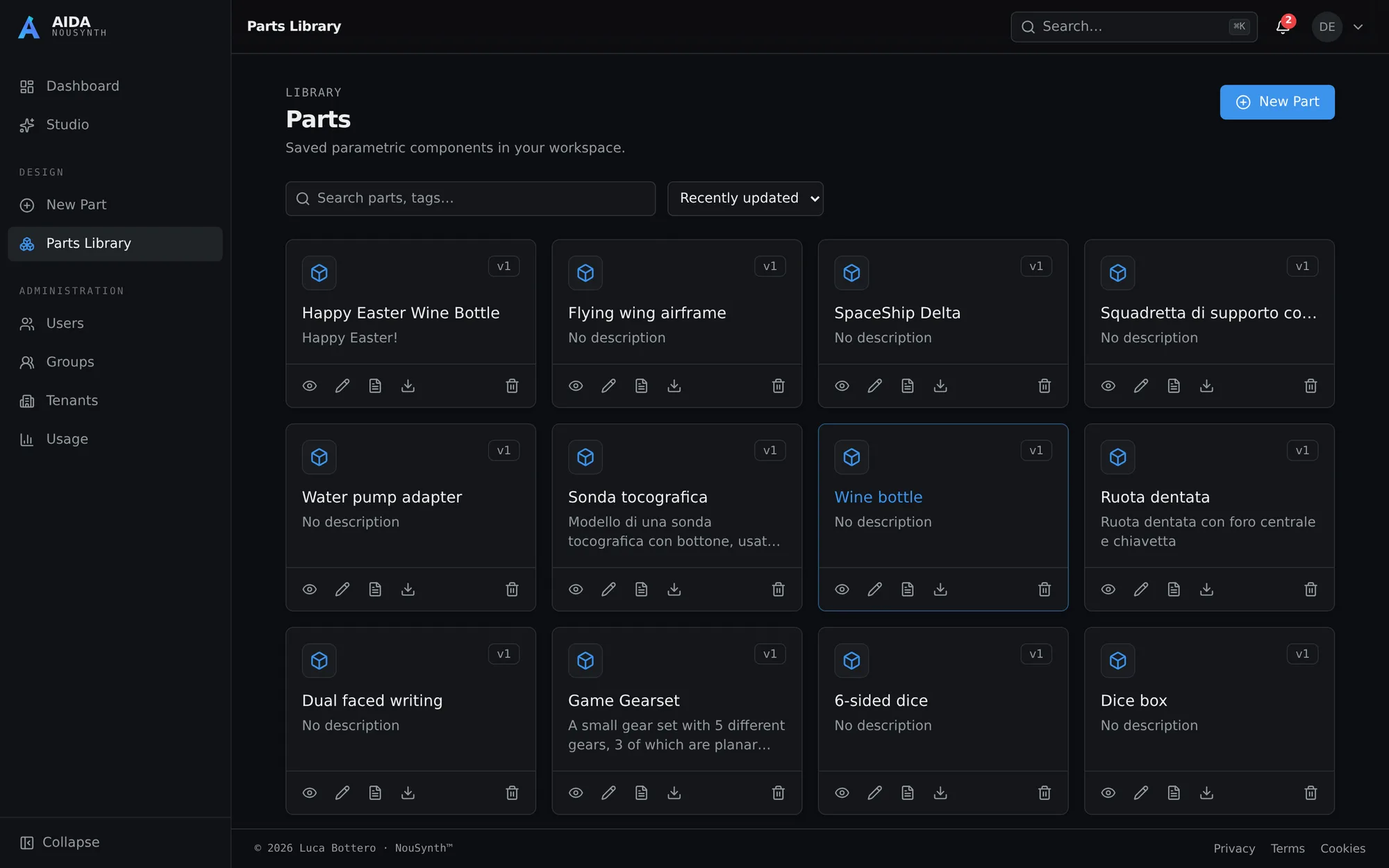
Saved parts live in a shared, versioned library — searchable, tagged, and ready to reopen, reconfigure, and export whenever you need them.
We started at the hardest step. Each one builds on a product that already ships.
Geometry first, because it’s where everyone gets stuck. From there, the path is clear — and grounded, because every step stands on the one before it.
Text & images → parametric 3D
Shipping nowThe geometric bottleneck, solved. Describe a part, drive its parameters, version it, collaborate as a team.
Parts & assemblies → 2D technical drawings
Shipping nowTurn any model into a dimensioned, standards-based drawing sheet — views chosen automatically, hidden lines, callouts and a title block. It stays parametric, so the drawing updates with the part.
2D drawings → parametric 3D
NextHand AIDA an existing 2D drawing and get a live parametric model back — bringing legacy and paper designs into the loop.
A far more capable Studio
NextDeeper reasoning, richer engineering knowledge, and more of the design workflow handled end to end.
Physics simulation with parameter refinement
Mid-termMultiphysics in the loop — so AIDA does not just build the geometry, it tunes the parameters against how the part actually performs.
From a two-person shop to a growing engineering team.
AIDA is a multi-tenant product from the ground up. Invite your team, scope who can see and change what, and keep a clean record of every design decision — without standing up infrastructure of your own.
Software stopped being the bottleneck. Physical things are next.
For the last few years we’ve all watched AI collapse the cost of building software. The same shift is coming for physical things — but first, engineers need a way to skip the slowest step: turning an idea into geometry you can actually build and change.
That’s the bottleneck we chose to solve first. It’s the unglamorous, foundational one — and once it’s gone, the cost of designing real, physical products starts to fall the way the cost of software already has. I think that’s a real step toward a world where making things is no longer scarce. AIDA is where we start.
Stop modelling. Start describing.
We’re onboarding engineering teams now. Tell us what you build and we’ll get you in.
- No CAD seat required
- Any language
- Your exports are yours, without limits